


Hype AI - AI Photo & Video
4.4216.00 Reviews
App Specs
- Version
- 7.0.6
- Updated On
- License
- Free
- Downloads
- 1,000,000+
- Developer
- ORIGO Game
- Categories
- Photography
- Platform
- Android
Screenshots
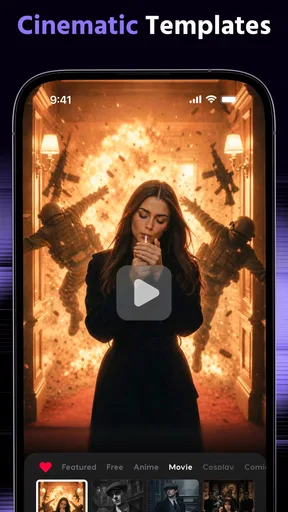
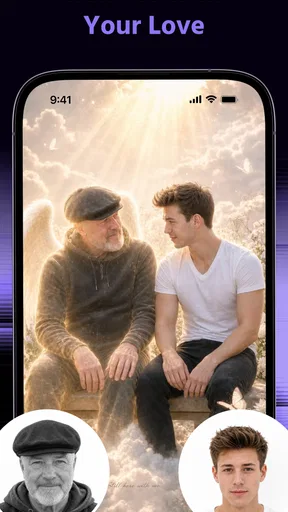
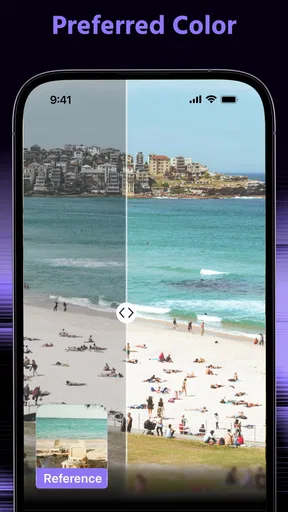
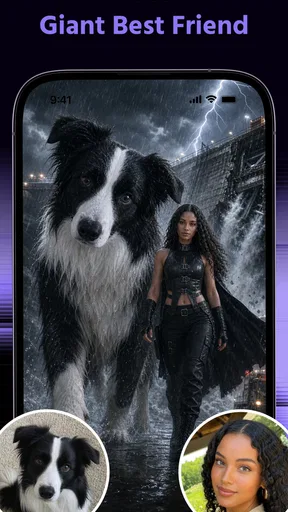
 Analysis by AppCompare
I approached Hype AI - AI Photo & Video as a quick creative tool rather than a replacement for a full photo editor, and that distinction explains most of my reaction. It is built for making attention-grabbing images and clips with artificial intelligence, especially when the ordinary camera roll feels flat and you want something with more visual energy. In my experience, its appeal is less about careful manual control and more about turning a simple idea into a shareable result without spending a long time learning editing software.
The app sits in the photography category and comes from ORIGO Game. It is free to install, with optional purchases ranging from under a dollar to amounts reaching $99.99 per item. That makes it easy to try, but I would still approach the paid side carefully: an app designed around experimentation can encourage repeated attempts, and those attempts may become expensive if you treat every generated variation as disposable.
My central opinion is straightforward: this is a useful choice for people who want fast, expressive social content, but it is not the best fit for photographers who value exact retouching, predictable color, or a traditional layer-by-layer workflow. The most satisfying results come when I give it a clear creative job instead of expecting it to rescue every weak picture automatically.
Where the app earns its place on a phone
I find the app most useful when I have a specific creative goal but want to explore a few visual directions before settling on one. In this section, I’ll focus on how a quick experiment can fit into a real phone-based workflow, and why keeping the original image separate makes that freedom easier to manage. That practical balance also helps explain the trade-offs the next section considers.
It makes experimentation feel approachable
The biggest strength is the low barrier between an idea and a visual result. A conventional editor asks me to understand selections, masks, curves, blending, timing, and export settings. An AI-focused app changes that rhythm. I can begin with a photo or video concept, try a more dramatic direction, and judge the result visually rather than building every effect by hand.
That matters for casual creators who know the mood they want but do not know the technical steps. Someone preparing a birthday post, a short travel montage, or a profile image can concentrate on the feeling of the piece: playful, bold, polished, strange, or cinematic. The app is most enjoyable when I treat each attempt as a draft and keep only the versions that genuinely improve the original.
I also like the way this approach suits short creative sessions. I do not need to schedule an evening around editing. A few spare minutes can be enough to test a concept, compare a couple of directions, and save something suitable for sharing. That convenience is a real advantage over desktop software, even when desktop software remains more precise.
Worth Reading Before You Choose

EA SPORTS FC Mobile 26 Is a Bigger Football Game, but It Takes Time

Flipboard Shows What News Apps Must Do Beyond the Feed

Switching to Android Auto Means Rethinking Your Driving Routine

Google Calendar Makes a Crowded Week Easier to Manage

Ludo King Makes the Most of the Minutes Between Plans

Baby Panda World Brings Quick Play to Modern Phones, but Its Game Library Feels Busy
A practical everyday workflow
Imagine I have taken a decent but unremarkable photo during a weekend outing. The lighting is acceptable, the subject is clear, but the image does not have much personality. Instead of applying the same familiar filter I have used many times, I can use the app to explore a stronger visual treatment and see whether the picture becomes more memorable.
My advice is to begin with an image that already has a clear subject. Artificial intelligence can add style, but it cannot always compensate for a confusing composition or a badly chosen moment. A face that is visible, a product photographed against a simple background, or a scene with one obvious focal point gives the tool a better foundation than a crowded snapshot.
For video, I would work with short sections rather than handing over a long recording and hoping for a perfect transformation. Shorter material is easier to review, easier to compare, and less frustrating when one attempt misses the intended mood. This is also a sensible way to control how much time and money I spend experimenting.
Useful for social content, but not only for social content
The obvious audience is people making posts, stories, profile images, and short clips. Still, I found the concept useful for small personal projects too. A themed invitation, a visual joke for a group chat, a mood board for a creative idea, or a quick presentation accent can benefit from a more distinctive image than a standard camera app produces.
That said, I would not use it as my only tool for professional client work. When a client expects a specific skin tone, exact brand color, clean product edges, or repeatable results across a collection of images, creative unpredictability becomes a disadvantage. In those situations, a conventional editor with dependable manual controls is the safer choice, even if it takes longer.
How it compares with familiar alternatives
Compared with a standard phone camera editor, Hype AI offers a more adventurous starting point. The usual editor is better for cropping, straightening, exposure adjustments, and small corrections that should remain invisible. This app is more interesting when the goal is transformation rather than repair.
Compared with a full desktop editor, it is easier to approach but less suitable for detailed finishing. Desktop tools reward patience and provide a deeper sense of control. Hype AI rewards curiosity and speed. I would use the two types together rather than treating them as rivals: create a striking direction here, then perform careful corrections elsewhere if the image needs to meet a precise standard.
It also differs from ordinary filter collections. A fixed filter applies a known look repeatedly, while an AI-driven workflow can feel less predictable. That unpredictability is part of the fun, but it means I need to inspect faces, lettering, hands, small objects, and edges before sharing anything publicly. A result can look impressive at first glance and still contain a distracting detail when viewed more closely.
Three habits that improve the results
First, I keep the original file untouched and treat every generated version as a separate experiment. This sounds obvious, but it prevents a creative tool from becoming destructive. If a dramatic treatment looks exciting for a moment and then feels excessive later, I can return to the clean source rather than trying to undo a chain of changes.
Second, I compare variations at the size where people will actually see them. A result that looks excellent when enlarged may become muddy in a small social preview. Conversely, a subtle change that seems unimpressive on a large screen may make a thumbnail more readable. Checking both views helps me choose based on communication, not just novelty.
Third, I use the app to establish a direction before polishing details. If I am making a poster-like image, I first decide whether the atmosphere works. If I am preparing a short clip, I first judge whether the sequence has a consistent identity. Only after that do I worry about small imperfections. This workflow avoids spending effort on a version whose overall idea was weak from the beginning.
A fourth tip is particularly important with text inside images: I inspect every letter. AI-generated visuals can make a composition feel polished while treating words as decoration rather than language. If a slogan, date, name, or product label matters, I would add or correct that text in a conventional editor after the creative pass instead of trusting the generated artwork blindly.
What limits the experience and who should use it
I would weigh the app’s playful approach against the need for consistency, careful review, and spending discipline before making it part of a regular routine. It suits adults who enjoy shaping photos and clips for personal or social use, but I’ll also cover the situations where a conventional editor is the more dependable choice. The key is matching the tool to the job rather than expecting one app to handle every kind of editing.
The creative freedom comes with inconsistency
The same quality that makes the app entertaining can also make it frustrating. When I want a specific, repeatable outcome, experimentation can turn into trial and error. A result may capture the right atmosphere but alter an important detail, or it may look technically impressive while moving away from the original subject.
This is why I would not judge success by the first attempt. The better question is whether the app helps me reach a usable result faster than my normal workflow. For a casual image, the answer can be yes. For a carefully controlled series, the answer may be no. The more exact the brief, the more valuable manual tools become.
There is also a creative risk in relying too heavily on dramatic treatments. If every image receives an intense transformation, a personal feed can lose variety and begin to look repetitive. I get better results when I reserve the strongest effects for images that genuinely need a bold identity, while leaving quieter pictures closer to their original character.
Free access is inviting, but spending needs discipline
The app is free, which makes trying its basic experience straightforward. Optional purchases are available, however, and the range extends from $0.99 to $99.99 per item. I would decide on a personal limit before exploring heavily, especially if I am testing many versions for a single project.
My practical rule is to create a shortlist first and spend only when a particular result has a clear purpose. Paying for repeated curiosity is different from paying for a finished image I genuinely intend to use. That distinction keeps the app from becoming an expensive source of temporary amusement.
I would also recommend checking the purchase screen carefully each time. Creative apps often make it easy to continue experimenting, and the excitement of seeing a new variation can weaken my judgment. A pause before confirming anything is useful here, particularly for younger users or anyone sharing a device.
Age and audience considerations
The content rating is Mature 17+, so I would not present this as a general-purpose creative app for children. Parents should consider the rating before allowing access, and adults should remember that AI image tools can produce results that are not appropriate for every audience or platform.
For adults who enjoy visual experimentation, the rating is a signal to use common sense when creating and sharing. I would review an image in context, not just ask whether it looks technically good. A transformation that works as a private joke may be unsuitable for a workplace, a family group, or a public profile.
Device support and the current release
The app runs on Android versions starting with Android 7.0, which gives it a broad compatibility range for many existing phones. I would still judge the experience by the actual device rather than the operating-system requirement alone. AI-oriented editing can feel more comfortable on a phone with a larger display and enough free storage for working with media.
The current version is 7.0.6. When I review an app that evolves through updates, I prefer to keep expectations practical: improvements may refine the experience, but they do not change the basic trade-off between quick creative results and detailed control. I would update before judging it and keep copies of important originals outside the app.
Who will enjoy it most
I recommend it to adults who want to make distinctive photos and short videos without learning a complicated editor. It is especially suitable for social creators who value speed, people who enjoy trying unusual visual ideas, and anyone who often says, “I know the mood I want, but I do not know how to create it manually.” The free entry point makes it reasonable to explore before committing to a regular workflow.
I am less likely to recommend it to professional photographers needing exact retouching, users who dislike unpredictable changes, or anyone looking for a simple utility that quietly corrects lighting and framing. It is also a poor match if the main goal is organizing a photo library, managing a large production pipeline, or making precise edits one control at a time.
My final recommendation
Hype AI - AI Photo & Video works best as a fast idea generator with enough practical value to become part of a casual creator’s routine. I like it when I want a photo or clip to feel more expressive than the original, and I appreciate that the process does not demand the technical patience of a full editing suite. Its strongest results come from clear subjects, short projects, and a willingness to compare several options rather than accepting the first flashy outcome.
Its weaknesses are equally important: consistency is not guaranteed, fine control is limited compared with traditional editors, and optional purchases can make uncontrolled experimentation costly. I would keep the original media, inspect details such as faces and text, and finish important work in a more precise editor when necessary.
With a 4.4 average from around 8.7 thousand ratings and more than a million installs, it has clearly attracted a substantial audience. Those figures do not make it right for everyone, but they fit my own conclusion: this is a lively, accessible photography app for playful transformation, not a universal replacement for careful editing. If you want quick visual impact and can accept a little unpredictability, it is worth trying. If accuracy matters more than surprise, choose the conventional editor first.
Pros
- Creates polished AI photos and videos with minimal editing effort.
- Offers creative styles for social media posts and profile pictures.
- Quick generation makes it convenient for experimenting with ideas.
- Simple interface is approachable for beginners.
- Useful for refreshing old images with modern effects and enhancements.
Cons
- Some advanced effects may require a paid subscription or credits.
- AI results can occasionally look artificial or distort facial details.
- Video generation may take longer on older or less powerful devices.
- Heavy use of filters can reduce image originality and realism.
- Privacy terms should be checked before uploading personal photos.
FAQs for Hype AI - AI Photo & Video
What is Hype AI - AI Photo & Video used for?
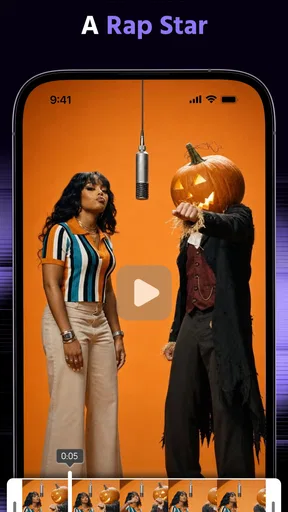
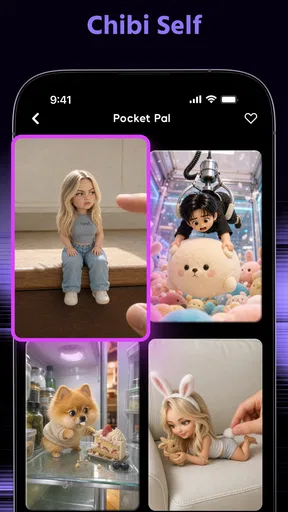
Hype AI - AI Photo & Video is designed for creating and enhancing visual content with artificial intelligence. Depending on the available tools and version, users can generate stylized images, apply creative effects, animate photos, improve portraits, and produce short video content. It is mainly aimed at social media creators and casual users who want quick results without advanced editing experience.
Is Hype AI - AI Photo & Video free to download and use?
The app may be available as a free download, but some features, effects, export options, or higher-quality results can require in-app purchases or a subscription. Before starting a trial, carefully check the pricing, renewal terms, and cancellation policy shown in the app store. Free access may also include advertisements, usage limits, watermarks, or restricted AI generations.
Does Hype AI - AI Photo & Video require an internet connection?
Most AI photo and video tools require an active internet connection because images and videos may be processed on remote servers rather than entirely on your device. This means results can take longer when the connection is weak, and mobile data usage may increase when uploading photos or downloading generated media. Offline editing availability may be limited.
Is my personal content safe when using Hype AI - AI Photo & Video?
Before uploading personal photos, review the app’s privacy policy and permissions carefully. AI editing services may need to process images, videos, or account information on external servers, and retention periods can vary. Avoid uploading sensitive documents or private images unless you understand how the service handles, stores, and deletes your content.
What devices are compatible with Hype AI - AI Photo & Video?
Compatibility depends on the specific Android or iOS version, device hardware, and the app release available in your region. AI generation and video features can be demanding, so older phones may experience slower processing, overheating, crashes, or limited export quality. Check the official store listing for current operating-system requirements before downloading.


